
What is a Workspace?

PART 4:  Endpoint Virtualization Series

I often ask my IT audiences when I speak at events “What is our purpose?” In other words, why do IT people do what they do and get paid for it? The answer is simpler than most people try to make it. Our primary purpose is to support end-user productivity. If we fail at that, then nothing else we do would be of any value and we would be out of jobs. I will admit there is a secondary category that is protecting confidential data (another thing Symantec is really good at). But that would also be moot if there was nothing of value worth protecting.

So what do users need to be productive, and how do we make sure that they have it? I mentioned in the last blog that “the desktop (virtual or otherwise) is the work environment, not the work itself.” Think of the desktop as an office you enter to do your work. You want a comfortable chair, good lighting etc., but if you didn’t bring your brief case and a pencil (remember those?), you wouldn’t have anything to do and wouldn’t be able to create value. So the desktop itself is not the answer. Although we have decisions to make about what kind of desktop is the most appropriate for our users in call centers, on the road, or in the corporate office, it really is the STUFF that is populated INTO those environments that is used to create value. I’ll say that applications top the list of valuable assets. But there are also user customizations and settings (also called profiles) and the data itself. All of this stuff that has to be added into the desktop (or carried into an office) constitutes a user’s Workspace.

If you have all of your stuff, your customized workspace, then you can get your job done whether you are in a high-rise building, your home, a park, or another country. In a traditional distributed client system, these elements may be irretrievably jumbled in with the desktop itself in the form of installed applications and configurations. This will be true for straight VDI as well, since this just relocates the distributed desktop to the datacenter. But functionally, the workspace components are separate from the desktop. When virtualization is used to break these items out to be managed, configured and distributed independently, these technologies fall into a separate category called Endpoint Virtualization. So what is this stuff and why is virtualizing it a good thing?

Components of the User Workspace

Workspace components come in three basic categories: applications, profiles, and data. Traditionally, data has been the center of attention because this is where the intellectual property is contained. And due to the discrete nature of most data files, there are many ways available to secure, protect, encrypt, backup and archive data. The more important the data, the more likely it is to be virtualized, or located in the datacenter and represented on the desktop by a link to a mapped network drive. Profiles is a more nebulous category, but can include everything from wallpaper and desktop icons to application toolbar configurations to email server settings. Some virtual profile solutions encompass the user’s data as well. Virtualizing profiles became a bigger deal with the introduction of non-persistent virtual desktops because every time a user logs in, they get a fresh common desktop image, and virtualizing the profile allows the previous customizations to be saved and carried over to the new session, making the experience more seamless for the users.

The last workspace category is the applications. Applications are problematic because most are designed to be installed. Especially in a Windows environment, installing an application causes irreversible changes to an operating system and registry. Unlike data, an application cannot simply be copied over to a desktop and run. Because applications have gotten so complex, and in many cases they require just the right environment, OS version, specific middleware applications, and reject even the existence of some other applications, especially different versions of the same application, support costs and helpdesk costs have gone up with that complexity. A great deal of pre-deployment testing must be completed to make sure that each new application is compatible with all combinations of pre-existing applications. And getting these applications to transfer over to a new operating system, like Windows 7, is an even bigger headache. Application Virtualization was created to solve these problems.

Virtualizing applications is similar to virtualizing desktops and servers in that the application is provided an environment to operate that is abstracted from the underlying systems, providing greater flexibility and less system dependence. A virtualized application does not have to be installed into an operating system. There are different technologies to accomplish this, but typically, the virtualized application comes in a new kind of package that may come in a single file, and once available on the target system, runs as if it were installed without altering the operating system at all. Most application virtualization technologies also reduce or eliminate the potential conflicts between applications as well, often reducing helpdesk calls and providing more stable operating systems.

Since there are numerous approaches and technologies to virtualize applications, each with their preferred use cases, advantages and limitations, I will leave a more thorough discussion to a later installment. But I will first point out another incarnation of application virtualization called streaming. With application streaming, the application must also be virtualized in order to avoid the traditional installation process, but the purpose of streaming is very different from what I just discussed above.

Instead of trying to protect applications and operating systems from harm and degradation, streaming tries to simplify the distribution and management of applications. Streaming was originally a self-service mechanism for acquiring applications. Typically, an icon would be placed on the desktop according to some provisioning rules. Then, when a user double-clicks the icon to run it, the bits of the application are “streamed” to the desktop for immediate execution. Streaming fools the system into thinking that the application is completely installed so that the user may begin using the application with it only partially present. Streaming can certainly simplify distribution of applications. But some technologies have gone farther and added extensive license management functionality, which can provide even greater opportunities to save money.

Virtualizing the workspace has become a key tool in the IT arsenal for reducing the cost of managing and maintaining desktops. But perhaps more importantly, these technologies are providing IT with the tools necessary to allow users to be productive in all of the new ways and locations and devices where they are insisting on working. IT no longer has the luxury of dictating that all workers come into a corporate office and work on identical systems, and Endpoint Virtualization is helping them to allow this evolution in user behavior and still provide increased productivity on reduced budgets.

Next time I will delve deeper into the various application virtualization and streaming technologies, and why you might choose one over another, depending on your environment. Plus, how much can you really expect to save on licenses and helpdesk costs?

Previous in the Series: To Virtualize or Not to Virtualize: That is the Question
Posted in Technology, Virtualization | Tagged , , | Leave a comment

To Virtualize or Not to Virtualize: That is the Question

PART 3:  Endpoint Virtualization Series

Maybe you are determined to buy some virtualization technologies, but are having trouble figuring out where to start – or where to end. The first question to ask is ‘Why am I doing this?’ What do I hope to accomplish by virtualizing? Am I sacrificing anything that is important to my business in the process? Then you can determine the best way to accomplish that, realizing that the solution may come from the world of virtualization, or not. I will again stress the importance of reviewing each type of virtualization independently of the others, as they solve very different problems and have unique cost models and value equations.

Let’s start with a quick (grossly over-simplified but useful) summary of value for the three levels of virtualization previously discussed.

  • Server Virtualization: Reduce hardware cost and increase flexibility in the datacenter.
  • Desktop Virtualization: Reduce cost of deploying and maintaining end-user systems.
  • Endpoint Virtualization: Automate end-user workspaces and reduce IT support costs.

Note that cost reduction comes up a lot when talking about virtualization. This is generally a reasonable assumption, but note where additional training and skills will be necessary to support the new technologies. Plus, virtualization rarely completely displaces pre-existing or non-virtual technologies, so it may also be an additional cost, even if that portion of the budget is smaller. I will not spend a lot of time on Server Virtualization, first because it is generally better understood than the others, and second because most of the discussion and confusion today is around the other two. Here is an easy distinction: THE DESKTOP IS THE WORK ENVIRONMENT, NOT THE WORK ITSELF. While Desktop Virtualization provides a different door to a different office – the user will still need the same things he always needs to do his job, whatever office he may be using today. Endpoint Virtualization is about the THINGS the user needs to have IN the office to get his job done, also referred to as his WORKSPACE. Today, I’ll just focus on Desktop Virtualization.

A brief overview of Desktop Virtualization

As mentioned above, Desktop Virtualization is about reducing the cost of deploying and maintaining end-user systems. Traditionally, client systems are physical laptops and desktops, and much of the cost comes from the variety of hardware profiles (increasing support costs and reducing stability) and the distributed nature of the systems (making IT access more difficult and costly). Virtualizing these desktops simply relocates the client operating system back to the datacenter, improving both complicating factors. Now the client desktops can be in one easy-to-access location on similar or identical hardware. [Remember that even when the client operating system is in the data center, some form of distributed hardware is still required for user access.] There are three common approaches to this, each with its own cost model. They are, in order of increasing overall cost: terminal servers, virtual hosted desktops (or VDI), and blades. So why doesn’t everybody just implement terminal servers for everybody since it is the cheapest? The answer is that there are tradeoffs and compromises with each solution.

Choosing the right client desktop model is a matter of evaluating and balancing needs – both the needs of IT to be manageable, cost-effective and secure; and the needs of the end user to be productive, connected, mobile, flexible, personalized, etc. Evaluating different groups or departments within a company should yield different conclusions. For example, in a call center, there are task workers that are repetitively performing the same tasks over and over, and the job doesn’t really vary from person to person. Plus, they are generally working in a well-connected office. Therefore, terminal servers often works best in this situation. It provides the necessary connectivity; there is not much need for personalization of the desktops; and the shared CPU model is more than sufficient for the low performance demands. Clearly the cheapest computing model works well here.

In another example, a group of engineers may also work in a corporate office, so connectivity is not an issue, but they will not get the computing performance required to do their job in a shared terminal server environment. VDI (or even blades) might be a better option here because the desktop environment is dedicated to the individual (Note that blades provide a dedicated CPU and memory as well). There might also be some security reasons to use VDI or blades over distributed PCs, especially if outsourcing your engineering effort. We also have to acknowledge the road warriors and “work-from-home” groups that cannot count on a fat internet connection (or even a thin one in many cases), yet still must be productive. While they may still benefit from some forms of virtualization (application virtualization or streaming for example – see next blog), desktop virtualization is not going to be a good fit here. Physical systems may be more expensive, but are still a requirement for these groups to be productive. Remember that no organization will make money if their users cannot be productive – that’s what it’s all about.

So the quest for the perfect desktop environment is not really about TWO options – whether to virtualize or not, as much as it is to select the right balance of IT and end-user factors. To that end I will propose that there are really FOUR primary options to choose from for each of your end-user groups, each which deserve equal consideration:

  • Terminal Servers
  • Virtual Hosted Desktops (VDI)
  • Blades
  • Desktops and Laptops (yes, this could be 2 separate categories)

Can Desktop Virtualization save money? Yes, in some cases. Is money the only factor to consider? No, in all cases. It is a great thing to be able to standardize, and if you can get away with only 2 or 3 of these models in your environment, then great! But don’t compromise on productivity. Still, your total desktop support costs will be the sum of all models in place. And there are more costs to consider. Remember that all we have discussed here is where the working environment is, and how the user may access it. In the next installment, I’ll discuss Endpoint Virtualization, a collection of technologies that may help with the tools and assets within the desktop that the user needs to be productive, like applications, profiles, even the data itself.

Previous in the Series: I Know All About Virtualization, Don’t I?

Next in the Series: What is a Workspace?

Posted in Technology, Virtualization | Tagged , | Leave a comment

I Know All About Virtualization, Don’t I?

PART 2:  Endpoint Virtualization Series

Many IT people today think they have a pretty good idea about what virtualization is, and even know some of the companies that sell it.  But perhaps the people that are confused have a better grasp on the situation, because they know that they don’t quite understand it all.  And that can potentially prevent leaping in a direction that does not provide the results you thought it would.  To make it more challenging, many vendors are bringing completely different architectural models to market, so it’s hard to stack rank “feeds and speeds” since in many instances you are evaluating fundamentally different approaches to solving problems.  And these approaches have enormous short and long term implications to all of your infrastructure, some that are yet to be fully vetted.  Let me see if I can help reduce the confusion by explaining a few things about the various virtualization technologies.

Let’s start with the one that I think people know the most about – Server Virtualization.  (I know this is pretty basic, but stick with me on this, and I think you’ll be better off in the end.)  The primary technology for this is called a hypervisor, and it is designed to abstract the hardware from the operating system.  By “virtualizing” the hardware, or creating a “virtual container” for the OS, one piece of hardware can be used for several operating systems, when only one would normally be allowed.  This has led to huge cost savings and greater flexibility in the datacenter.

Moving up the computing stack a bit, we come to Desktop Virtualization.  This is where a client operating system is abstracted from the local computing device, thin client or otherwise.  It just means that the OS is running somewhere other than where the user is sitting, usually in a datacenter.  Desktop Virtualization has actually been around in various forms much longer than Server Virtualization, going back to the mainframe days when people would access the system from remote terminals.  Now that desktop computing has been around for so long, many of us have forgotten and see this as revolutionary.  Although the concept is not new, there are some innovative new ways to accomplish it, with the main categories of solutions being various forms of “terminal servers”, “virtual hosted desktops” (also known as VDI), or blade PCs.  These are completely different technologies than Server Virtualization, and are adopted for very different reasons, like access security or hardware cost reduction.  It is also important to note that the Virtual Desktops (or remote OSes) may be running on Virtual Servers, or they may be running on physical servers – but the technologies are not dependent upon one another.

Now we get to Endpoint Virtualization, even higher in the computing stack, and perhaps the least understood.  Again, it is a collection of technologies that is sure to continue growing, but this time the purpose is abstracting the assets a user needs to be productive, like applications, profiles and data, from the operating system.  These technologies have more to do with end-user productivity by allowing applications and such to be independent of the operating system and device.  This allows a user to be more mobile and flexible, as his assets are not tied or dedicated to a specific environment or location.  Again, Endpoint Virtualization technologies, including application virtualization, application streaming, profile virtualization, and others, are completely independent of the previous two categories, and can exist in all environments, both physical and virtual.  For example, application streaming can help to consolidate application management, licenses and distribution, and deliver applications automatically to the right people, when they need them, regardless of where they are, or whether they are on a laptop in another country or a terminal server in the home office.

I believe that the greatest source of confusion today is a lack of understanding that Desktop and Endpoint Virtualization are separate solutions that solve different problems, and they should be evaluated on their own merits.  Often, companies that assume that virtualizing their desktops solves more problems than it does, wind up with a more complicated and expensive solution than is really necessary.  Likewise, Endpoint Virtualization does not address the location or security of the operating system itself, but its benefits extend to physical systems as well.

Tune in next time to look at how to go about selecting the right technologies to solve your biggest problems, without making them worse or more expensive.

Previous in the Series: Wow! I didn’t know Symantec did Virtualization

Next in the Series:   To Virtualize or Not to Virtualize: That is the Question

Posted in Technology, Virtualization | Tagged , | Leave a comment

Wow! I didn’t know Symantec did Virtualization

PART 1:  Endpoint Virtualization Series

If I had a nickel for every time I heard that phrase, I’d have a lot of nickels.  The point is that still an awful lot of people who are researching virtualization technology (because that’s what you do these days if you’re in IT) start with Citrix and VMware, perhaps go to Microsoft, then stop.  Certainly there are a ton of smaller companies being ignored that also have virtualization technologies.  But Symantec is a big company with virtualization technologies, and more people are learning about Symantec’s solutions every day.

Because Symantec holds such strong positions in security and storage, we are not normally the first company that comes to mind when thinking about virtualization.  However, there are some really good reasons that more and more companies, after looking at ALL of the options, are excited to select Symantec solutions.  In fact, the above phrase is usually followed by “This is great stuff!”

There are other reasons that people get confused about virtualization technologies, like not understanding the different types of virtualization, or which ones solve which problems, should they standardize on one technology, or is the best solution a mix of technologies.  Just understanding what technologies each company has to offer, and what they specialize in could help the investigative process a lot.  But there aren’t too many easy summaries or overviews to help with this.  I am going to try to do this for you.  You might think that this would be a biased account.  But interestingly, for the areas, where VMware and Citrix excel, Symantec doesn’t compete.  There is only a little bit of overlap, and we always encourage companies to do their own evaluations.  This allows us to work alongside these other companies quite happily, and I can honestly encourage a reasonable evaluation of the infrastructure alternatives.  And it will still benefit you to evaluate Symantec, regardless of your choices.

In case this sounds even more confusing, you are not alone.  Ask anyone and they will tell you the world of virtualization is a confusing place, and finding the right technologies to solve the right problems, without spending more money and adding more confusion to your environment, is an often unresolved challenge.  I’ll explain why that is and how to see the landscape more clearly, next time.

Next in the Series: I Know All About Virtualization, Don’t I?

Posted in Technology, Virtualization | Tagged , | Leave a comment

Vision Session: Win7 Migration with Endpoint Virtualization

Here is a full recording of one of my sessions at this year’s Vision conference, with a really nice dual screen interface, and the ability to make it full screen, assuming you want to see me that big.

Session Title:  Windows 7 Migration Benefits with Endpoint Virtualization Suite

Abstract:  Migration to a new operation system is a great time to change desktop strategy for the better, implement best practices and add solutions to ease migration. Use this disruptive event to create an environment that provides a better user experience while decreasing costs with the Symantec Endpoint Virtualization Suite.

To view the full screen version of the video, click the link below: http://events.digitallyspeaking.com/symantec/vis10/player.html?xml=thu-1…

Posted in Technology, Virtualization | Tagged , , , , | Leave a comment

Virtual Desktops are more than just Desktops!

This is not a new rant for me, but reminders seem to come in regularly, such as this latest update on Microsoft’s Virtual PC – Core Security Technologies Discovers Vulnerability in Key Microsoft Virtualization Technology.

One thing that I really hope the virtualization community “gets” soon is that there is a lot more to Virtual Desktops than just the desktop. Seriously, virtual desktops have been around for almost 40 years in various forms. I think we know how to “pretend” that a user’s desktop is in front of him or her, when it is actually in a datacenter or somewhere else. We can easily do that in dozens of ways, a few of the more popular being Terminal Services (I think the new name is Remote Desktop Services), VDI, blades, etc. And there are all sorts of tools to orchestrate, connect, duplicate, and share these various desktops and make them available at remote offices, beaches and on the moon (I’ll have to check that last one). But it doesn’t seem to be the panacea that many have tried to make it.

I am encouraged by a couple of trends. First, there is greater acknowledgement recently that no one computing model will satisfy all needs – yes, some vendors are even saying this out in the open (as in the recent Citrix Geek Speak Virtual event “Desktop Virtualization Vendors Speak Out” that I participated in). Second, in spite of all of the promises, there is a realization that simply virtualizing the desktop does not magically make it cheaper, more secure, easier to manage, or less prone to helpdesk calls. Why is that?

It’s because not much really changes when the desktop moves from the distributed system to the datacenter. Sure, it’s harder to lose a virtual desktop at the airport. But the bulk of the cost of a desktop has always been the applications, ongoing maintenance, security, conflict resolution, etc. In short, the cost comes from the stuff that is ON the desktop far more than the desktop itself. Why would we expect that to be any different just because we’ve moved the desktop to the data center where it is now sharing hardware and is no longer a physical system? No wonder some are finding this approach even more complex and more costly. Don’t get me wrong; there are many scenarios where different virtual desktop models are the right model to use. But let’s base that conclusion on actual, rather than assumed, merits.

So the more things change, the more they stay the same. No matter what kind of desktop you have, and you probably have several, you still have to manage the basics – security, applications, licenses, updates, conflicts, profiles. You just need to make sure you can economically handle all of these issues across all of your platforms, preferably seamlessly.

Posted in Technology, Virtualization | Tagged , , | Leave a comment

Industry Panel on VDI

I had the pleasure of participating in the latest Citrix Geek Speak event this past week.  Hosted by Shawn Bass, representatives from Citrix, Microsoft, VMware, Quest, and of course Symantec (me) all had an opportunity to respond to some of the most common concerns and issues around practical implementations of VDI.  This included a discussion of current challenges, as well as how each company was addressing them and what we thought it might look like in the future.

As Shawn indicated at one point, this was the first forum where every vendor participant agreed that there was not one single solution to address all ecosystems (a theme Symantec has promoted for years).  Among topics discussed were the viability of pooled hosted virtual desktops, user state management, “heavy” applications that may not work well in this environment, WAN performance, and more.

So in case you missed this discussion, the archive is available at the link below.  Check it out and give us a call to discuss any topics at greater length.  We love talking about this stuff!

Panel Discussion on VDI

Posted in Technology, Virtualization | Tagged , , | Leave a comment

Reducing Endpoint TCO

The cost of managing and maintaining endpoint devices has skyrocketed as users become more mobile and IT tries to maintain security and control.  In this video, I use a whiteboard in an interview format to explain the real reasons the costs are increasing and present a practical approach to containing those costs in a way that also enhances user productivity and flexibility.

The video ended up being a lot longer than I originally intended, but there is some good relevant stuff in there if you are patient.

Video Length:  24:20

Whiteboard on Endpoint TCO


Posted in Technology, Virtualization | Tagged , , , | Leave a comment

Workspace Streaming Demo for Intel

Intel brought out the professional video equipment for this one.  It’s available on YouTube and even has a HQ viewing option to see me in high def.

The demo covers the 6.1 streaming solution as well as a preview of some cool new 6.1 SP1 features that more extensively leverage Intel’s AMT technology.

This link will take you to the YouTube video: Symantec Workspace Streaming Demo with Notebook PCs and Intel vPro Technology

Enjoy!

Posted in Technology, Virtualization | Tagged , , , | Leave a comment

The “Virtualization Power Panel”

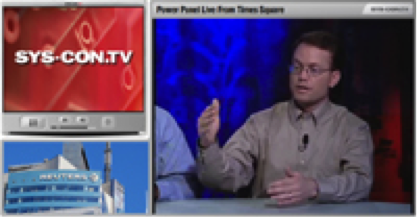
In my second week as a Symantec employee, following the acquisition of AppStream, I got to appear on SYS.CON.TV with an all-star cast of virtualization executives.  Here I got to define Symantec’s position on endpoint virtualization just as they get into the game.  It was fun.

Panel also includes Red Hat CTO Brian Stevens, Citrix CTO Simon Crosby, Egenera CTO Pete Manca, and Allen Stewart, Group Manager, Windows Virtualization at Microsoft.

Sys-con

Click to view

Posted in Technology, Virtualization | Tagged , , | Leave a comment